useDialog
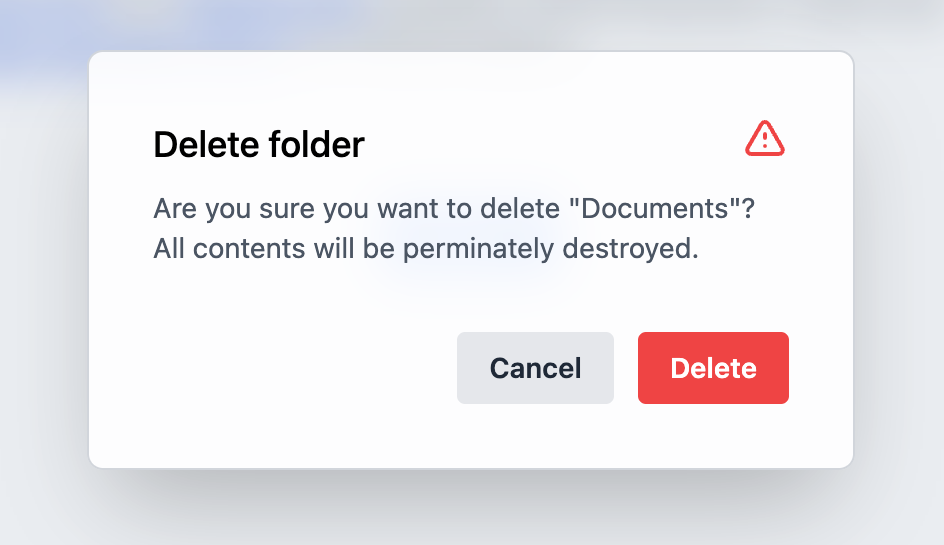
Provides the behavior and accessibility implementation for a dialog component. A dialog is an overlay shown above other content in an application.
| install | yarn add react-aria |
|---|---|
| version | 3.19.0 |
| usage | import {useDialog} from 'react-aria' |
API#
useDialog(
  (props: AriaDialogProps,
  , ref: RefObject<FocusableElement>
)): DialogAria
Features#
The HTML <dialog> element
can be used to build dialogs. However, it is not yet widely supported across browsers, and
building fully accessible custom dialogs from scratch is very difficult and error prone.
useDialog helps achieve accessible dialogs that can be styled as needed.
- Exposed to assistive technology as a
dialogoralertdialogwith ARIA - Handles labelling the dialog by its title element
- Handles focusing the dialog on mount, unless a child element is already focused
- Contains focus inside the dialog, preventing the user from tabbing outside
- Restores focus to the triggering element on unmount
- May be used within a modal, popover, or other types of overlays
Anatomy#
A dialog consists of a container element and an optional title. useDialog handles
exposing this to assistive technology using ARIA. It can be combined
with useModalOverlay or usePopover,
to create modal dialogs, popovers, and other types of overlays.
useDialog returns props that you should spread onto the appropriate element:
| Name | Type | Description |
dialogProps | DOMAttributes | Props for the dialog container element. |
titleProps | DOMAttributes | Props for the dialog title element. |
If a dialog does not have a visible title element, an aria-label or aria-labelledby
prop must be passed instead to identify the element to assistive technology.
Example#
This example shows how to build a typical modal dialog, by combining useDialog with useModalOverlay. The code for the Modal component is available below. The Dialog component may also be used within a popover. See the docs for more details on overlay containers.
import {useDialog} from 'react-aria';

// Reuse the Button and Modal from your component library. See below for details.
import {Button, Modal, ModalTrigger} from 'your-component-library';

function Dialog({ title, children, ...props }) {
  let ref = React.useRef();
  let { dialogProps, titleProps } = useDialog(props, ref);

  return (
    <div {...dialogProps} ref={ref} style={{ padding: 30 }}>
      <h3 {...titleProps} style={{ marginTop: 0 }}>
        {title}
      </h3>
      {children}
    </div>
  );
}

<ModalTrigger label="Open Dialog">
  {(close) => (
    <Dialog title="Enter your name">
      <form style={{ display: 'flex', flexDirection: 'column' }}>
        <label htmlFor="first-name">First Name:</label>
        <input id="first-name" />
        <label htmlFor="last-name">Last Name:</label>
        <input id="last-name" />
        <Button
          onPress={close}
          style={{ marginTop: 10 }}
        >
          Submit
        </Button>
      </form>
    </Dialog>
  )}
</ModalTrigger>
import {useDialog} from 'react-aria';
// Reuse the Button and Modal from your component library. See below for details.
import {
Button,
Modal,
ModalTrigger
} from 'your-component-library';
function Dialog({ title, children, ...props }) {
let ref = React.useRef();
let { dialogProps, titleProps } = useDialog(props, ref);
return (
<div {...dialogProps} ref={ref} style={{ padding: 30 }}>
<h3 {...titleProps} style={{ marginTop: 0 }}>
{title}
</h3>
{children}
</div>
);
}
<ModalTrigger label="Open Dialog">
{(close) => (
<Dialog title="Enter your name">
<form
style={{
display: 'flex',
flexDirection: 'column'
}}
>
<label htmlFor="first-name">First Name:</label>
<input id="first-name" />
<label htmlFor="last-name">Last Name:</label>
<input id="last-name" />
<Button
onPress={close}
style={{ marginTop: 10 }}
>
Submit
</Button>
</form>
</Dialog>
)}
</ModalTrigger>import {useDialog} from 'react-aria';
// Reuse the Button and Modal from your component library. See below for details.
import {
Button,
Modal,
ModalTrigger
} from 'your-component-library';
function Dialog(
{
title,
children,
...props
}
) {
let ref = React
.useRef();
let {
dialogProps,
titleProps
} = useDialog(
props,
ref
);
return (
<div
{...dialogProps}
ref={ref}
style={{
padding: 30
}}
>
<h3
{...titleProps}
style={{
marginTop: 0
}}
>
{title}
</h3>
{children}
</div>
);
}
<ModalTrigger label="Open Dialog">
{(close) => (
<Dialog title="Enter your name">
<form
style={{
display:
'flex',
flexDirection:
'column'
}}
>
<label htmlFor="first-name">
First Name:
</label>
<input id="first-name" />
<label htmlFor="last-name">
Last Name:
</label>
<input id="last-name" />
<Button
onPress={close}
style={{
marginTop:
10
}}
>
Submit
</Button>
</form>
</Dialog>
)}
</ModalTrigger>Modal#
The Modal and ModalTrigger components render the dialog within a typical modal container with a partially transparent underlay. See useModalOverlay for more details.
Show code
import {Overlay, useModalOverlay, useOverlayTrigger} from 'react-aria';
import {useOverlayTriggerState} from 'react-stately';

function Modal({ state, children, ...props }) {
  let ref = React.useRef();
  let { modalProps, underlayProps } = useModalOverlay(props, state, ref);

  return (
    <Overlay>
      <div
        style={{
          position: 'fixed',
          zIndex: 100,
          top: 0,
          left: 0,
          bottom: 0,
          right: 0,
          background: 'rgba(0, 0, 0, 0.5)',
          display: 'flex',
          alignItems: 'center',
          justifyContent: 'center'
        }}
        {...underlayProps}
      >
        <div
          {...modalProps}
          ref={ref}
          style={{
            background: 'var(--page-background)',
            border: '1px solid gray'
          }}
        >
          {children}
        </div>
      </div>
    </Overlay>
  );
}

function ModalTrigger({ label, children, ...props }) {
  let state = useOverlayTriggerState(props);
  let { triggerProps, overlayProps } = useOverlayTrigger(
    { type: 'dialog' },
    state
  );

  return (
    <>
      <Button {...triggerProps}>Open Dialog</Button>
      {state.isOpen &&
        (
          <Modal state={state}>
            {React.cloneElement(children(state.close), overlayProps)}
          </Modal>
        )}
    </>
  );
}
import {
  Overlay,
  useModalOverlay,
  useOverlayTrigger
} from 'react-aria';
import {useOverlayTriggerState} from 'react-stately';

function Modal({ state, children, ...props }) {
  let ref = React.useRef();
  let { modalProps, underlayProps } = useModalOverlay(
    props,
    state,
    ref
  );

  return (
    <Overlay>
      <div
        style={{
          position: 'fixed',
          zIndex: 100,
          top: 0,
          left: 0,
          bottom: 0,
          right: 0,
          background: 'rgba(0, 0, 0, 0.5)',
          display: 'flex',
          alignItems: 'center',
          justifyContent: 'center'
        }}
        {...underlayProps}
      >
        <div
          {...modalProps}
          ref={ref}
          style={{
            background: 'var(--page-background)',
            border: '1px solid gray'
          }}
        >
          {children}
        </div>
      </div>
    </Overlay>
  );
}

function ModalTrigger({ label, children, ...props }) {
  let state = useOverlayTriggerState(props);
  let { triggerProps, overlayProps } = useOverlayTrigger({
    type: 'dialog'
  }, state);

  return (
    <>
      <Button {...triggerProps}>Open Dialog</Button>
      {state.isOpen &&
        (
          <Modal state={state}>
            {React.cloneElement(
              children(state.close),
              overlayProps
            )}
          </Modal>
        )}
    </>
  );
}
import {
  Overlay,
  useModalOverlay,
  useOverlayTrigger
} from 'react-aria';
import {useOverlayTriggerState} from 'react-stately';

function Modal(
  {
    state,
    children,
    ...props
  }
) {
  let ref = React
    .useRef();
  let {
    modalProps,
    underlayProps
  } = useModalOverlay(
    props,
    state,
    ref
  );

  return (
    <Overlay>
      <div
        style={{
          position:
            'fixed',
          zIndex: 100,
          top: 0,
          left: 0,
          bottom: 0,
          right: 0,
          background:
            'rgba(0, 0, 0, 0.5)',
          display:
            'flex',
          alignItems:
            'center',
          justifyContent:
            'center'
        }}
        {...underlayProps}
      >
        <div
          {...modalProps}
          ref={ref}
          style={{
            background:
              'var(--page-background)',
            border:
              '1px solid gray'
          }}
        >
          {children}
        </div>
      </div>
    </Overlay>
  );
}

function ModalTrigger(
  {
    label,
    children,
    ...props
  }
) {
  let state =
    useOverlayTriggerState(
      props
    );
  let {
    triggerProps,
    overlayProps
  } = useOverlayTrigger({
    type: 'dialog'
  }, state);

  return (
    <>
      <Button
        {...triggerProps}
      >
        Open Dialog
      </Button>
      {state.isOpen &&
        (
          <Modal
            state={state}
          >
            {React
              .cloneElement(
                children(
                  state
                    .close
                ),
                overlayProps
              )}
          </Modal>
        )}
    </>
  );
}
Button#
The Button component is used in the above example to open and close the dialog. It is built using the useButton hook, and can be shared with many other components.
Show code
import {useButton} from 'react-aria';

function Button(props) {
  let ref = React.useRef();
  let { buttonProps } = useButton(props, ref);
  return (
    <button {...buttonProps} ref={ref} style={props.style}>
      {props.children}
    </button>
  );
}
import {useButton} from 'react-aria';

function Button(props) {
  let ref = React.useRef();
  let { buttonProps } = useButton(props, ref);
  return (
    <button {...buttonProps} ref={ref} style={props.style}>
      {props.children}
    </button>
  );
}
import {useButton} from 'react-aria';

function Button(props) {
  let ref = React
    .useRef();
  let { buttonProps } =
    useButton(
      props,
      ref
    );
  return (
    <button
      {...buttonProps}
      ref={ref}
      style={props.style}
    >
      {props.children}
    </button>
  );
}
Styled examples#